Meet Integrations: Less time retrieving, more time reviewing
.png?width=1400&quality=90&format=avif&crop=fit)
Audit and finance evidence doesn't live in one place. Contracts sit in SharePoint. Expense reports are in SAP Concur. Invoices are in Xero or QuickBooks. Every time an auditor needs a document, they switch systems, download it, and re-upload it into their workpaper. It's a loop that repeats dozens of times a day, and it adds up.
At DataSnipper, we meet you where you work. That’s why we have built integrations that remove that bottleneck entirely, helping you pull evidence from the systems your team already uses directly into Excel. No manual downloads, no switching tools, no waiting.
Integrations
SharePoint
Most audit firms and finance teams store their working documents in SharePoint: engagement files, client-provided contracts, policy documents, PDFs, and more.
Retrieving them mid-audit means navigating folder structures, downloading files, and re-uploading them into your workpaper.
With the SharePoint integration, you can skip those manual steps. Pull supporting documents directly from SharePoint document libraries into DataSnipper in a few clicks, and get straight to the work.
OneDrive
Not every file lives in a shared drive. Auditors often receive documents directly: a client sends a contract, a colleague shares a folder.
With the OneDrive integration, you can import files from personal or shared OneDrive folders straight into DataSnipper, without leaving Excel. Whatever the source, the evidence comes to you.
SAP Concur
Expense testing is one of the most document-heavy procedures in audit. For every expense report, there's a trail of receipts, invoices, and supporting documentation to verify.
The SAP Concur integration lets you download expense reports along with all their attachments in one go, transactions and supporting evidence together, ready for extraction and testing in DataSnipper.
QuickBooks
For teams running expense management through QuickBooks, the same challenge applies: every report comes with a trail of attachments that need to be verified, one by one.
Now, you can download expense reports and all attachments within the report directly into DataSnipper, bringing transactions and their supporting documentation into your workpaper together. No switching between systems to chase down what you need.
Xero
Xero holds a significant volume of the documentation auditors need to verify: invoices, bills, expense records.
The Xero integration lets you pull these directly into DataSnipper, complete with attached supporting documents, so your team can move from retrieval to review without the manual steps in between.
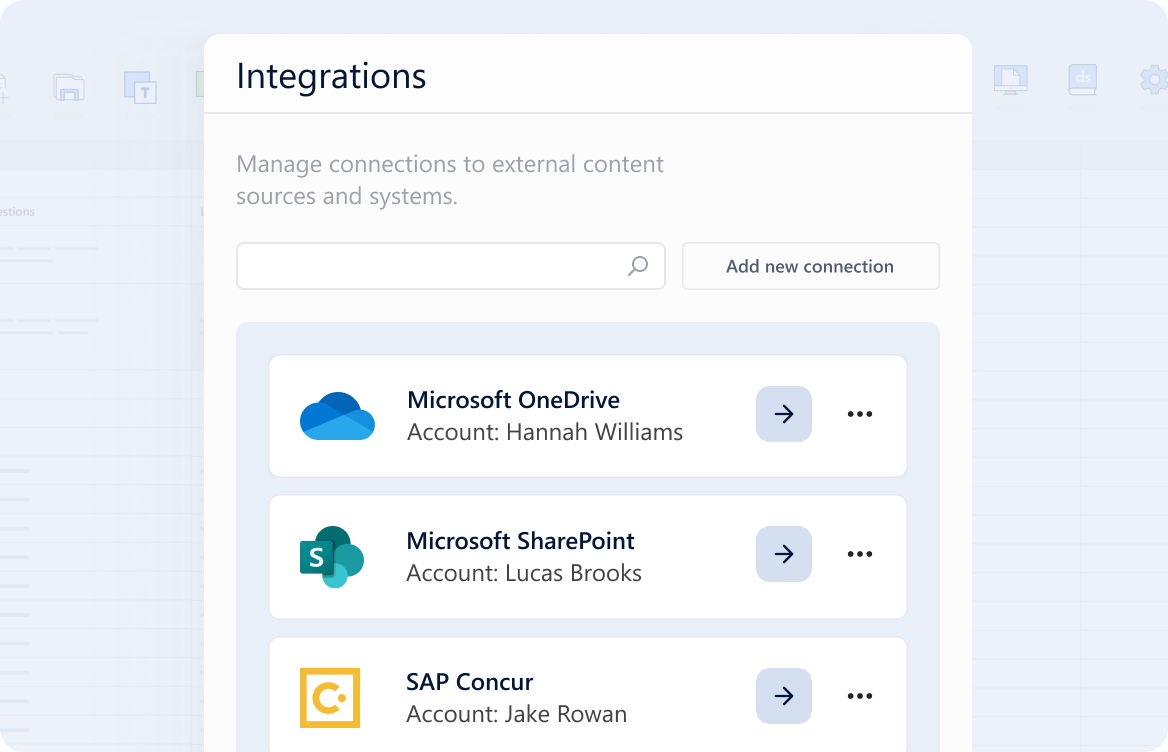
How Integrations work
You can import your evidence from the DataSnipper for Excel ribbon, browsing and importing files into your workpaper in a few clicks. You can even find the right document without knowing its exact name. Search by details like folder, date, and file type.
Either way, you’ll spend less time on evidence retrieval and more time on judgment and the work that actually moves things forward.
Connected evidence, end to end
Integrations are part of a bigger picture, where DataSnipper is the platform that supports your full audit and finance workflows.
Your evidence flows in from the systems your team already uses. Workpapers build automatically. Agents take it from there, running procedures end-to-end, with every output traceable back to source.
More integrations are on the way. From ERP systems to CRMs and more.
Do you need something more specific? Get in touch with us to discuss bespoke integrations.